Keep your own archive.
Store your Listing Library and fetched Sold history locally, so the working data you build stays with you.
Built for used, vintage & one-of-a-kind sellers.
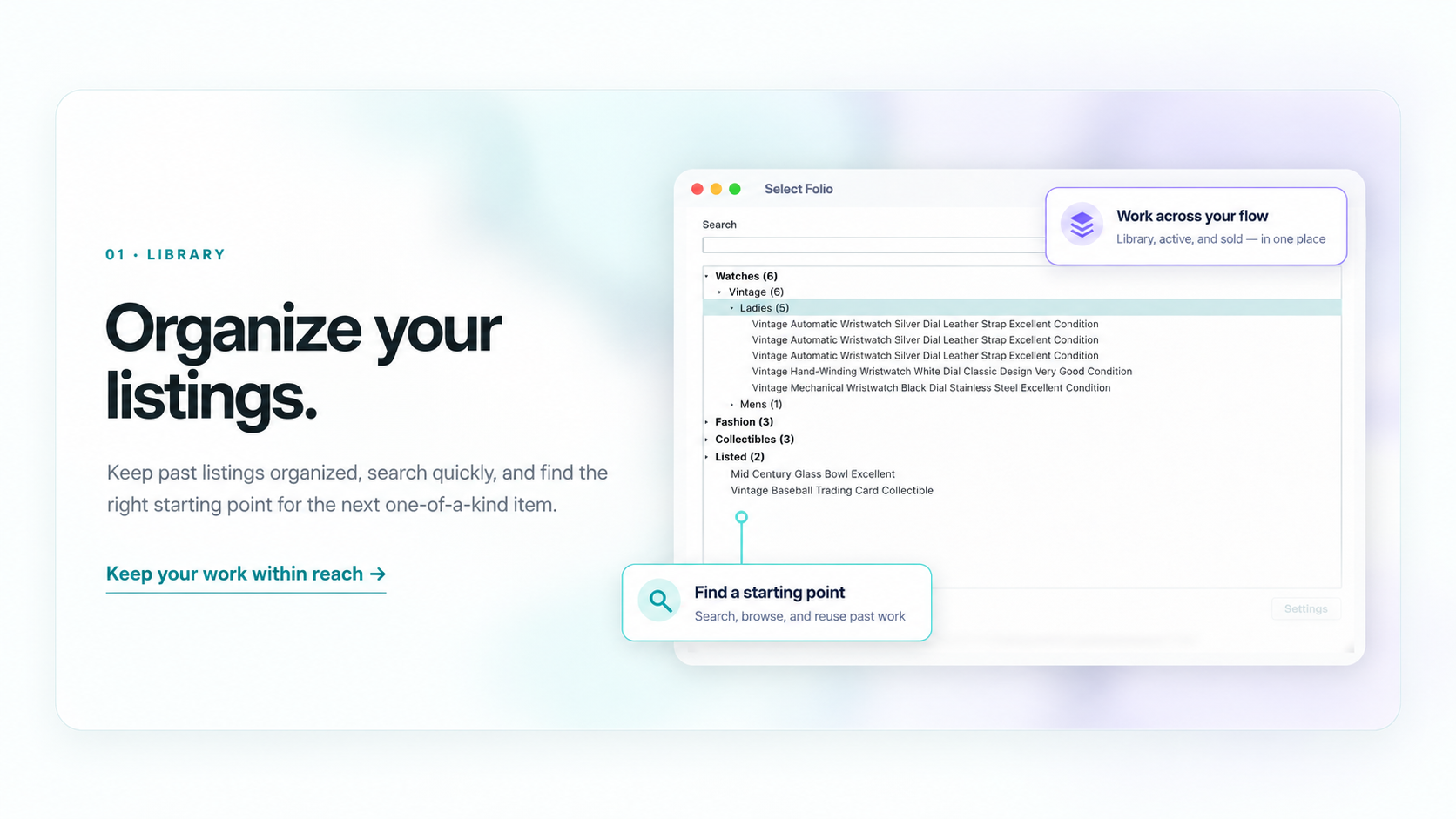
Save, search and reuse past listings.
14 days free Then $10/month
Save. Search. Reuse. List.
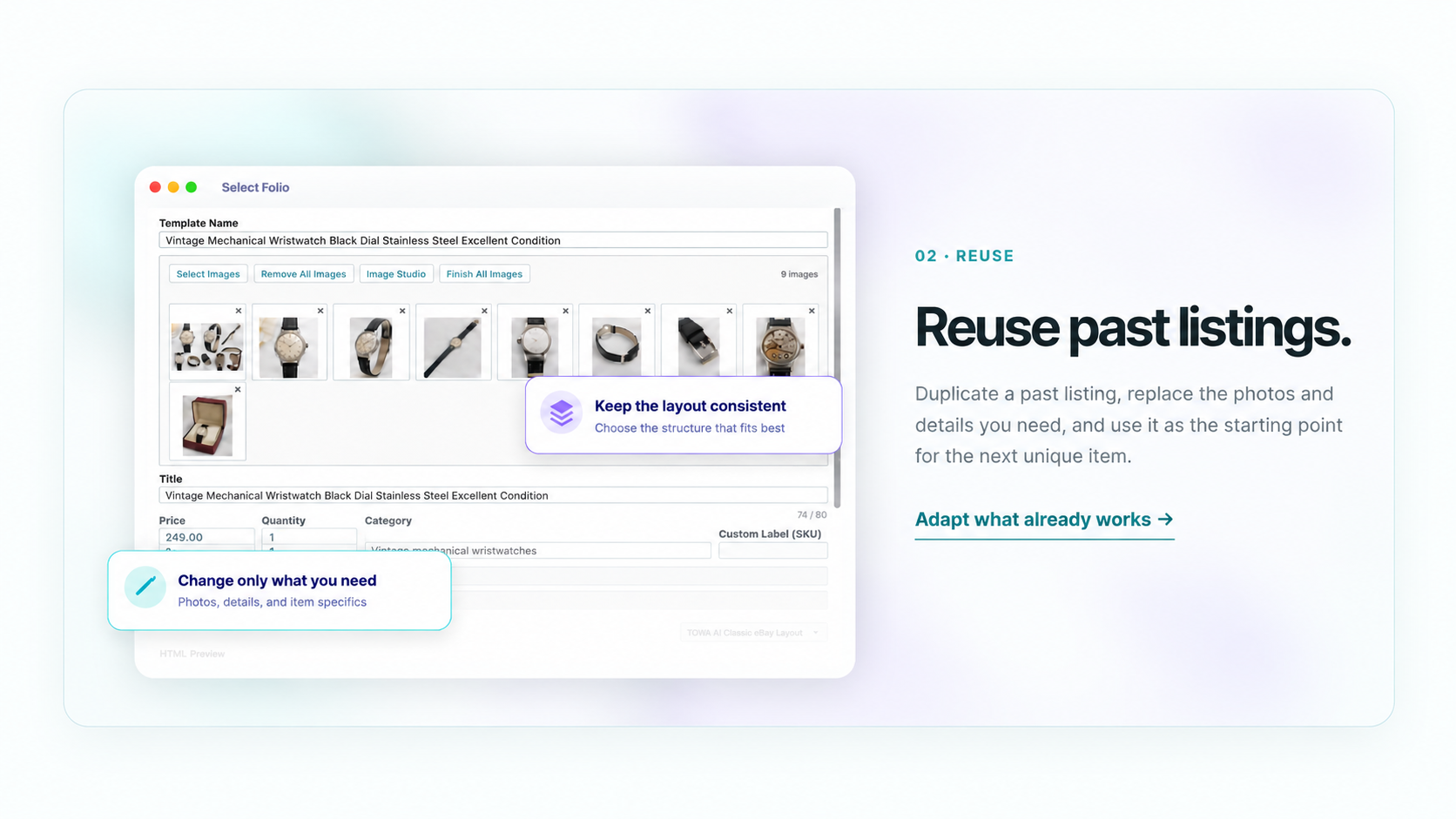
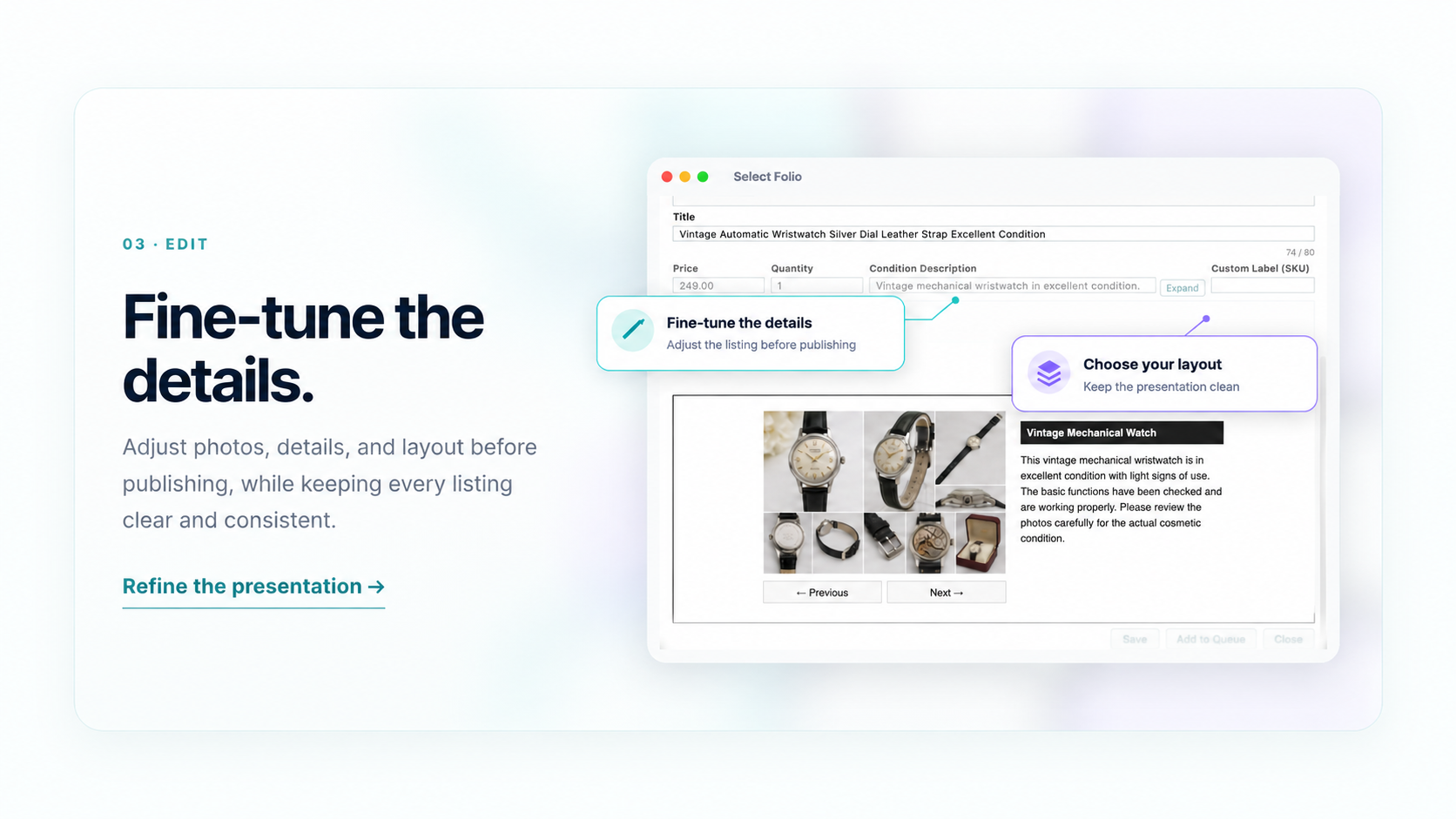
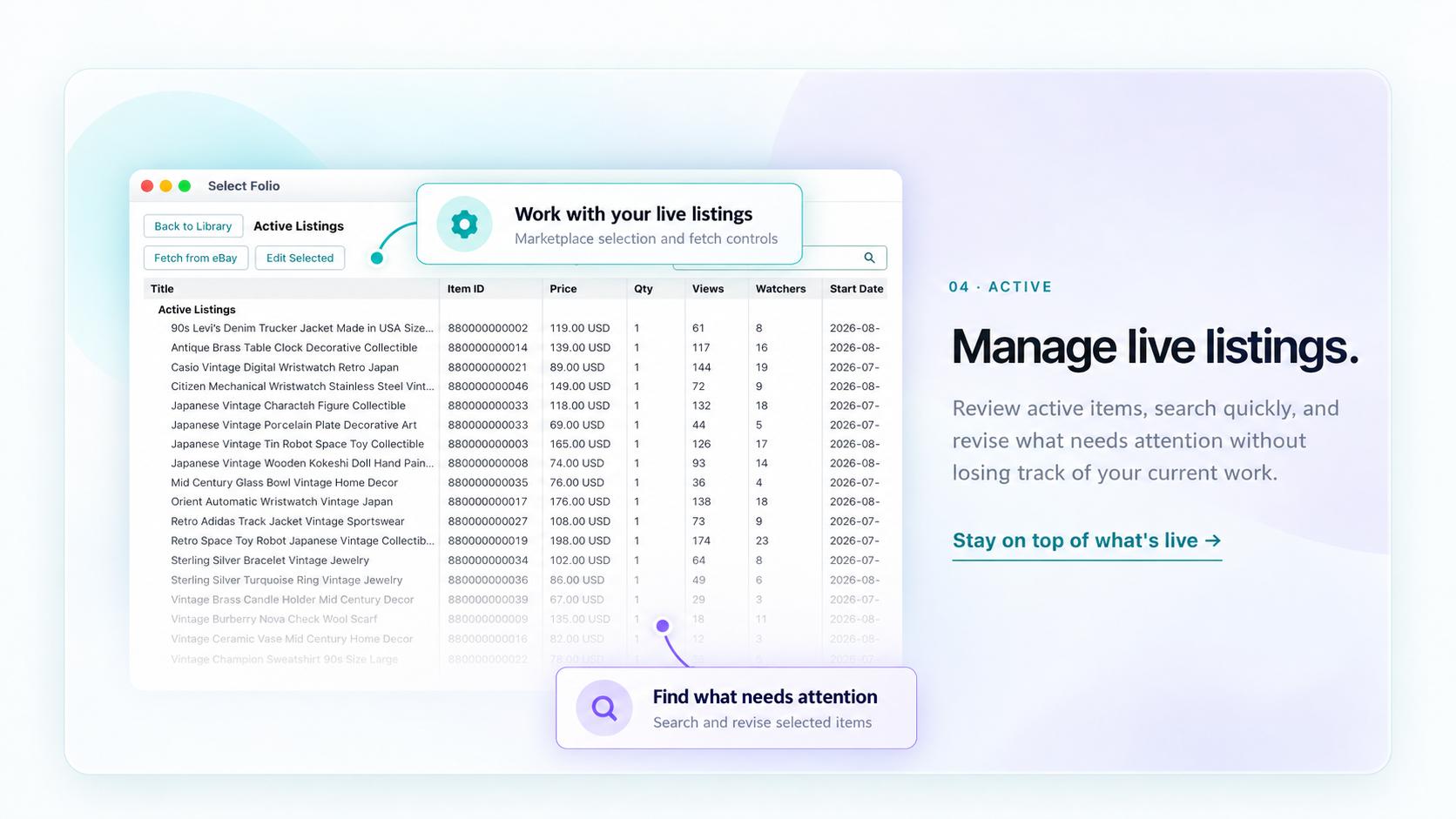
Select Folio keeps your eBay listing work in a searchable local library, so you can find past listings, duplicate and reuse them, manage Item Specifics and HTML descriptions, revise active listings, and keep available Sold history on your Mac.
Explore the full workflow in the 14-day trial.
A core Select Folio feature
Fetch available Sold history from your connected eBay account, store the records on your Mac, search them later, and reuse an older sold item as the starting point for a new listing.
The exact records and fields available depend on what eBay makes available for the connected account.
Fetch once. Keep building your archive.
eBay provides the available history window. Select Folio keeps the Sold records you fetch locally, so your own archive can remain useful beyond that retrieval window.
AI-assisted workflows
Select Folio can work with ChatGPT and other compatible AI tools that can control desktop apps. In tested workflows, AI can handle much of the repetitive work involved in preparing a Listing — identifying product information from images, finding and duplicating a past Listing, updating listing details, adding product images, editing HTML descriptions from the View screen, and saving the result for review.
You review the completed Listing, make any final corrections, and publish it to eBay yourself.
Start by teaching the AI your workflow one step at a time. As it becomes familiar with your process, multiple steps can be combined into a single instruction.
AI Work Mode
Turn on AI Work Mode before handing control to an AI tool. In the Sales version, Publish, Revise, and Active / Sold Fetch from eBay are disabled while the mode is on, helping keep AI-assisted work focused on Listing preparation. HTML source code is also kept out of the AI workflow.
Tested with ChatGPT Codex on macOS. AI Work Mode is a user-controlled safety feature; it does not itself detect whether an external AI tool is controlling your Mac. AI functionality is provided by the external AI service and is not built into Select Folio.
Local-first desktop app
Store your Listing Library and fetched Sold history locally, so the working data you build stays with you.
Because the core library lives locally, you can include Select Folio data in your own Mac backup routine.
Locally stored Library and Sold data remain available for read-only viewing in a compatible Select Folio environment.
An internet connection is still required for eBay access, authentication, licensing, and online listing actions.
Before you start
Select Folio is a Mac desktop app. Install it on your Mac before connecting your eBay account.
Connect your own eBay account to fetch information, create listings, and revise active items.
Required for eBay connection, licensing, authentication, and online listing actions.
FAQ
Select Folio is designed for eBay sellers on macOS who work with used, vintage and one-of-a-kind items and want to save, search, duplicate and reuse previous listing work instead of rebuilding each listing from the beginning.
Yes. The 14-day trial gives you access to the Select Folio workflow so you can try it with your own eBay selling process before deciding whether to continue with a paid subscription.
Yes. Select Folio has been tested with ChatGPT Codex on macOS for AI-assisted listing workflows. In testing, ChatGPT was able to duplicate listings, update titles, prices and condition descriptions, add product images, update free-text Item Specifics such as serial numbers, identify product names and serial numbers from images, and save prepared listings for later review.
When using a desktop-control AI tool, turn on AI Work Mode before handing over control. Availability, usage limits, and computer-control capabilities depend on your AI provider, account, region, and the features currently offered by that provider. AI functionality is not built into Select Folio.
AI Work Mode is a user-controlled safety guard for AI-assisted sessions. In Sales, it disables Publish, Revise, and Active / Sold Fetch from eBay while the mode is on. Listing preparation remains available, including Library search, Duplicate, Editor, Image Studio, HTML Preview, Item Specifics, saving, and preparing drafts in Queue.
After the AI task is finished, turn AI Work Mode off, review the changes, and then carry out any eBay action yourself. AI Work Mode does not itself detect or block every possible third-party automation method, so you are responsible for enabling it before handing control to an AI tool.
Select Folio can fetch up to 2 years of available Sold history from eBay. Records you fetch are stored locally, so the archive you build on your Mac can remain available after the original eBay retrieval window has passed.
No. Select Folio does not retrieve the original listing description or listing photos from Sold history. Sold records are used as searchable local history and as a starting point for reusing the information that eBay makes available.
Select Folio is currently tested on an Apple silicon Mac (M4) with 16GB memory running macOS Tahoe 26.5.2. Older macOS versions, Intel Macs, and other hardware configurations have not yet been verified.
Yes. You can continue working with an existing eBay HTML description design instead of rebuilding everything in a Select Folio template.
Select Folio includes three built-in HTML layouts with different image presentations. You can also adjust colors, text styling, and reusable content blocks.
You register a payment method in Stripe Checkout when you start the trial, but the amount charged that day is $0. Unless you cancel before the 14-day trial ends, the subscription continues at $10/month and renews monthly until canceled.
Library and Sold data already stored on your Mac remain available for read-only viewing in a compatible Select Folio environment. New saving, editing, eBay listing, revision, and connected API functions require an active subscription.
No. Select Folio is currently built for macOS.
Simple pricing
Use Select Folio with your own workflow before deciding whether it belongs in your daily eBay work.
14-Day Free Trial
Full access to Select Folio
Register a payment method in Stripe Checkout. $0 is charged today. Cancel before the trial ends to avoid the first $10 monthly charge.
Select Folio
Monthly subscription
Cancel before the next renewal to stop future monthly charges.
Currently available outside the EEA, United Kingdom, and mainland China.